Audit 2.0: An Overview
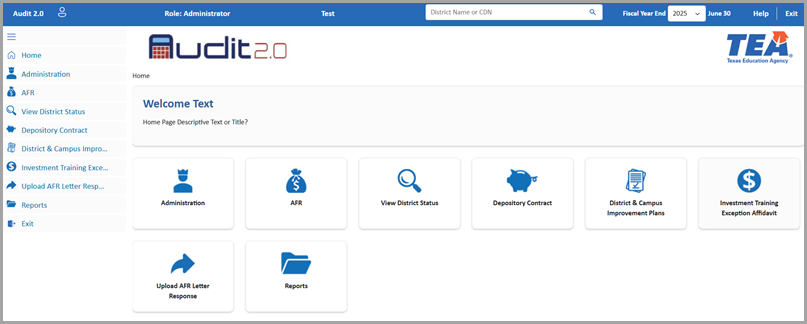
This Audit 2.0 application facilitates annual submissions of audit financial information. With Audit 2.0 features, you can upload and complete the Annual Financial Report (AFR) for an LEA, and finalize and certify data. You can then view the status of an LEA's submission.
There are 5 steps involved in completing the AFR submission:
- Step 1: Preliminary Information
- Step 2: AFR Upload
- Step 3: Data Feed Upload/Manual Data Entry
- Step 4: Finalize Data
- Step 5: Certify
After completing the AFR submission, you can view the documents with the View District Status feature.
Other features include the ability to submit the following documents: Depository Contract, District & Campus Improvement Plans, and Investment Training Exception Affidavit. These features will be implemented in the future.
Note: Google Chrome is the recommended browser for Audit 2.0.