
Uncertified Teachers Dashboards
The Uncertified Teachers Dashboards present statewide estimates on the amount and proportion of uncertified teachers. This data is aggregated by School System, Region, School System Geographic Type, and Subject-Grade Level.
Version 1: The data on this page reflects all available information through the most recently available academic year. It is best viewed on a desktop screen. The visualizations are generated by the Power BI application and best practices have been made to follow WCAG 2.0 standards. Specific keyboard commands are needed to access and navigate through the data which are not the standard keyboard commands some screen readers use. You can press Shift + ? to access keyboard shortcuts.
About the Data
These datasets include all individuals who have a teaching assignment but do not have any active credential issued by the State Board of Educator Certification (SBEC). Academic years are between September 1st through August 31st. This data spans from the academic years 2020-2021 until the most recently available reporting year.
This dashboard was generated using these Business Rules.
Dashboard Data Downloads
The data behind the dashboard can be downloaded below.
- Uncertified Teachers Workbook - (Excel)
- Navigate to the first tab: Uncertified Teachers Over Time Count.
- The bars displayed on this view show the total count of teachers by year, and the line chart displays the count of uncertified teachers by year
- Press CTRL + CLICK on the Click for FTE View button to see uncertified teacher full-time equivalents over-time.
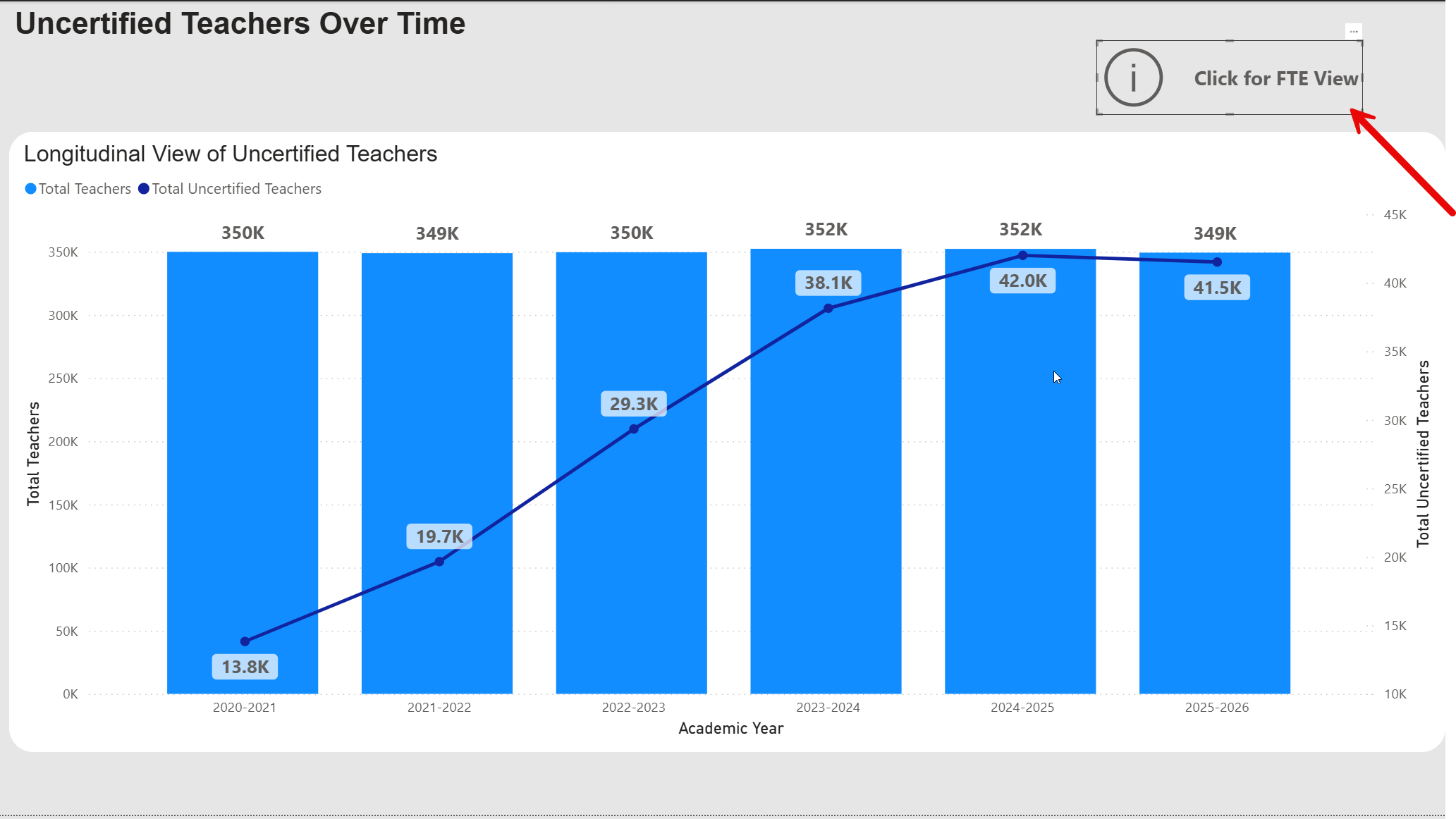
- To see these counts as percentages rather than counts, navigate to the Percentage of Teacher Workforce that is Uncertified tab.
- Navigate to the tab: Uncertified by Subject/Grade Level
- Select a Subject Area and Academic Year from the drop-down menus at the top of the page
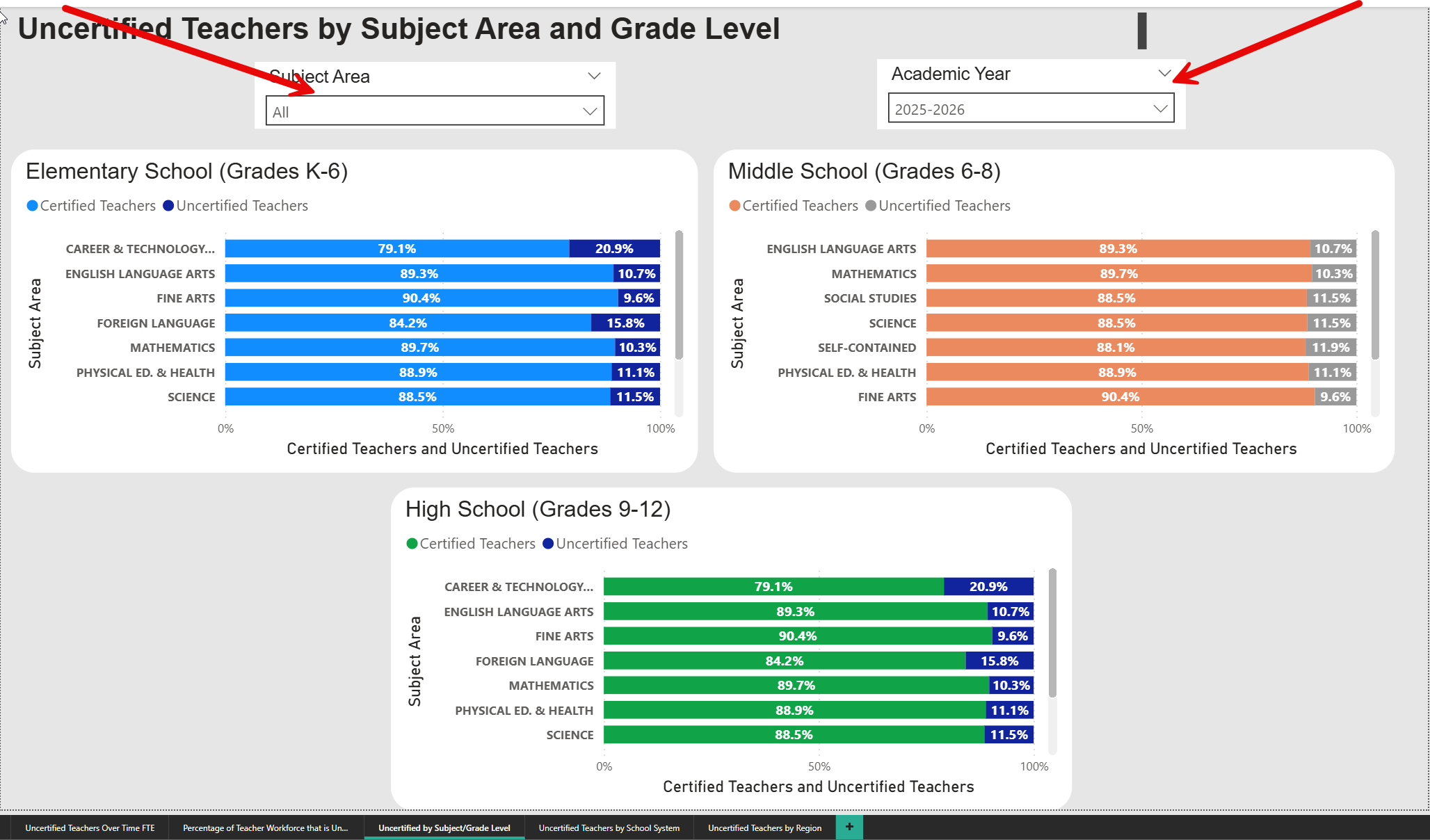
- The dashboard will now display the percentage of uncertified teachers for your selected subject area and academic year, for the grades of Elementary School, Middle School, and High School.
- On the bottom of the page, you will see arrows that allow you to move between pages.

- Navigate to the tab: Uncertified Teachers by School System
- Select a specific region, school system, and/or school system geographic setting menus from the drop-down menus at the top of the page, depending on the information that you are looking for.
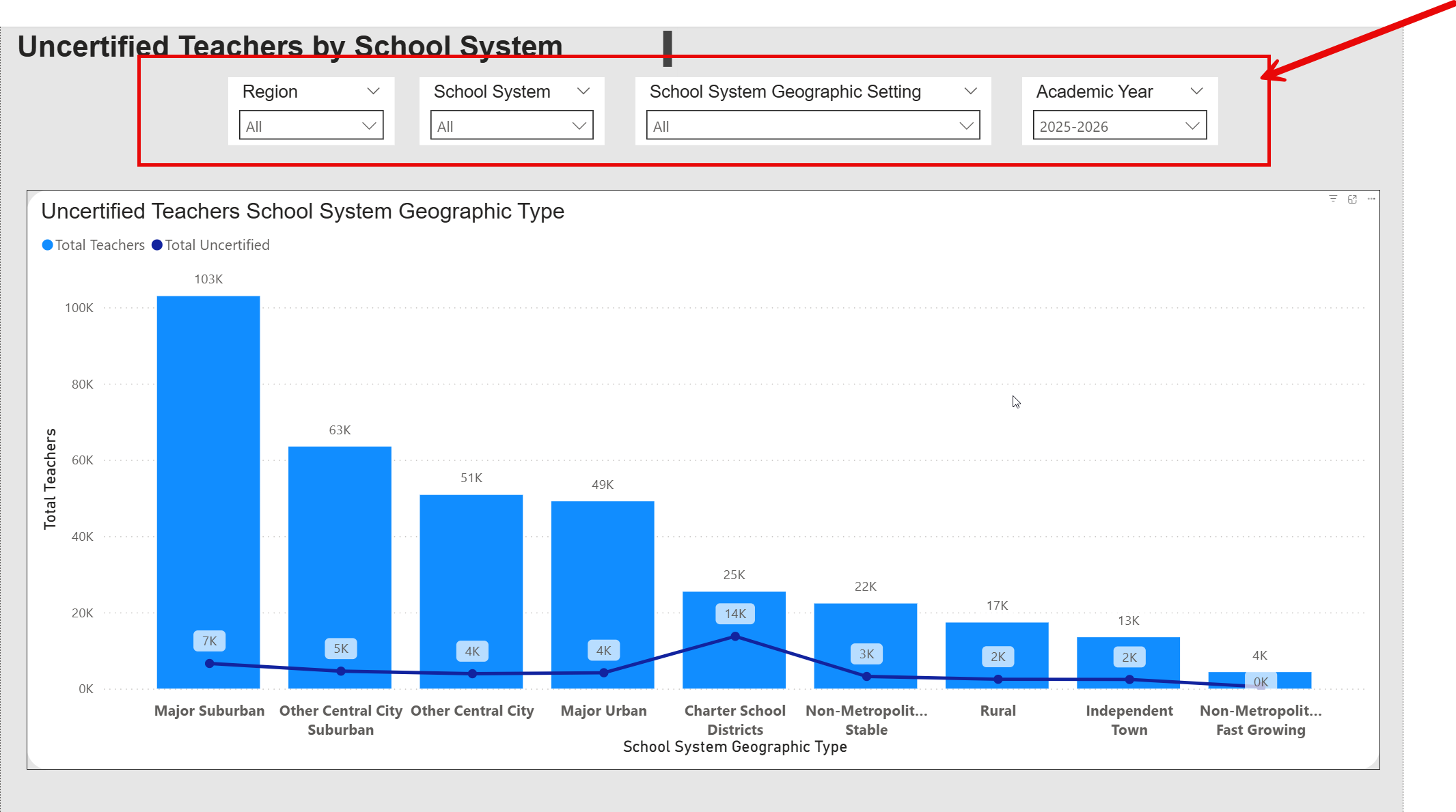
- The dashboard will now display the count of total teachers on the bar chart, and the count of uncertified teachers will be displayed on the line chart.
- Navigate to the tab: Uncertified Teachers by Region
- Select a specific region, school system, school system geographic setting, and academic year depending on the information you are looking for. In this example, the user selected "All" for the filters and "2025-2026" for academic year.
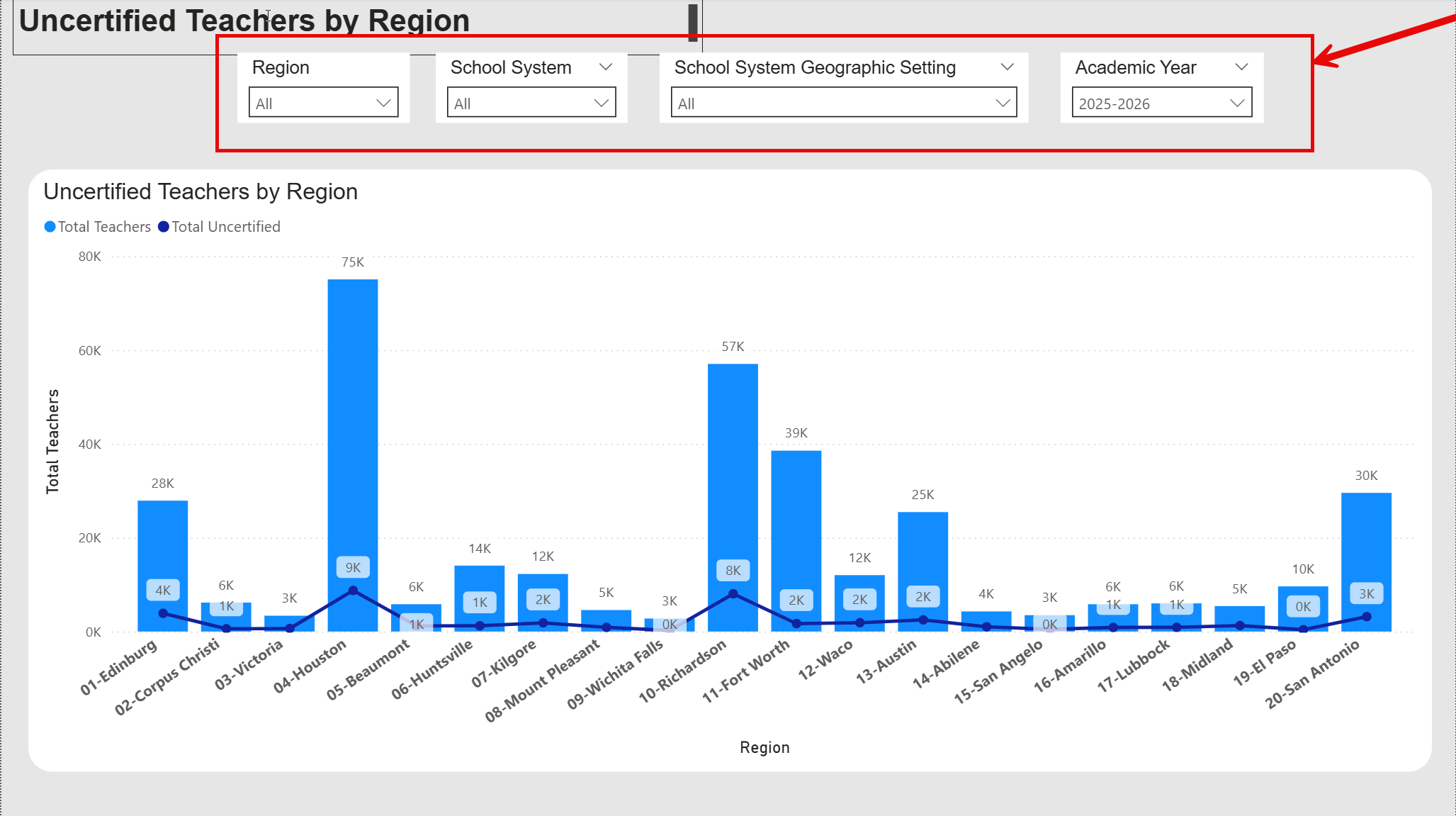
- The dashboard will now display the number of total teachers and uncertified teachers aggregated by the filters you selected.
- The data is updated in the spring of each academic year.
- The Uncertified Teachers Workbook can be found here - (Excel)
Frequently Asked Questions
Click a question below to expand and view the answer.