
Attrition and New Hires Dashboard
The Attrition and New Hires Dashboard present statewide, annual figures for employed principals, teachers, and superintendents attrition and new hires. This information is aggregated by role, school system geographic type, and school system size.
Version 1: The data on this page reflects all available information through the most recently available academic year. It is best viewed on a desktop screen. The visualizations are generated by the Power BI application and best practices have been made to follow WCAG 2.0 standards. Specific keyboard commands are needed to access and navigate through the data which are not the standard keyboard commands some screen readers use. You can press Shift + ? to access keyboard shortcuts.
About the Data
This dataset includes all newly hired teachers, principals, and superintendents. Academic years are September 1st through August 31st. This data spans from the academic years 2015-2016 until the most recently available reporting year.
This dashboard was generated using these Business Rules.
Dashboard Data Downloads
The data behind the dashboard can be downloaded below.
- Attrition and New Hires Workbook (Excel)
- Navigate to the Percentage of Newly Hired Teachers by Source tab
- Choose a specific Academic Year from the drop-down menu on the top left of the page, or click select all to view longitudinal trends
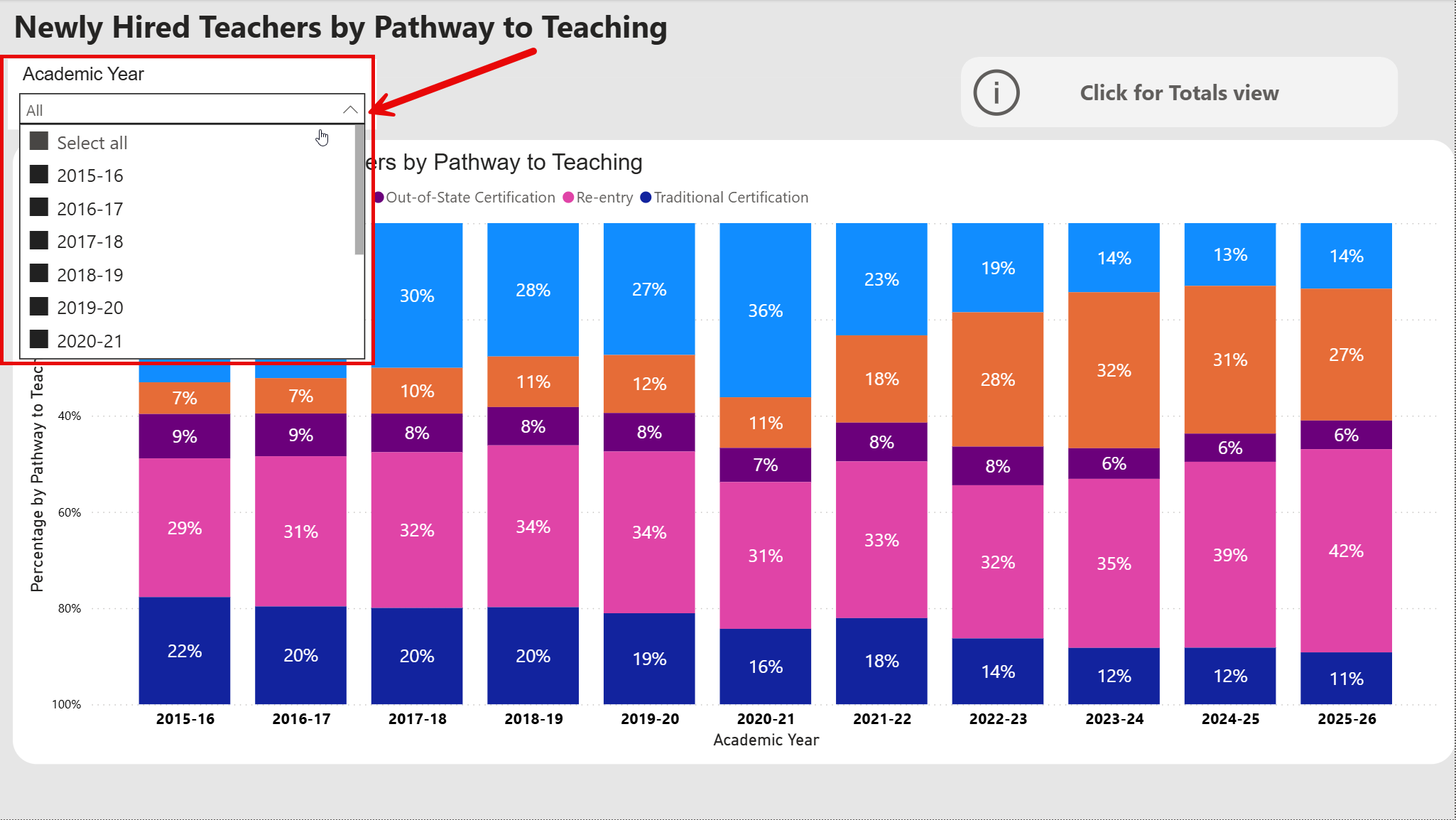
- The dashboard will display the percentage of newly hired teachers by pathway to teaching. Follow the same steps in the Count of Newly Hired Teachers by Source tab to see counts instead of percentages. See the legend for more information about the pathways to teaching.
- Navigate to the Attrition by Role tab
- Choose a specific Academic Year and Role from the drop-down menus at the top of the page.
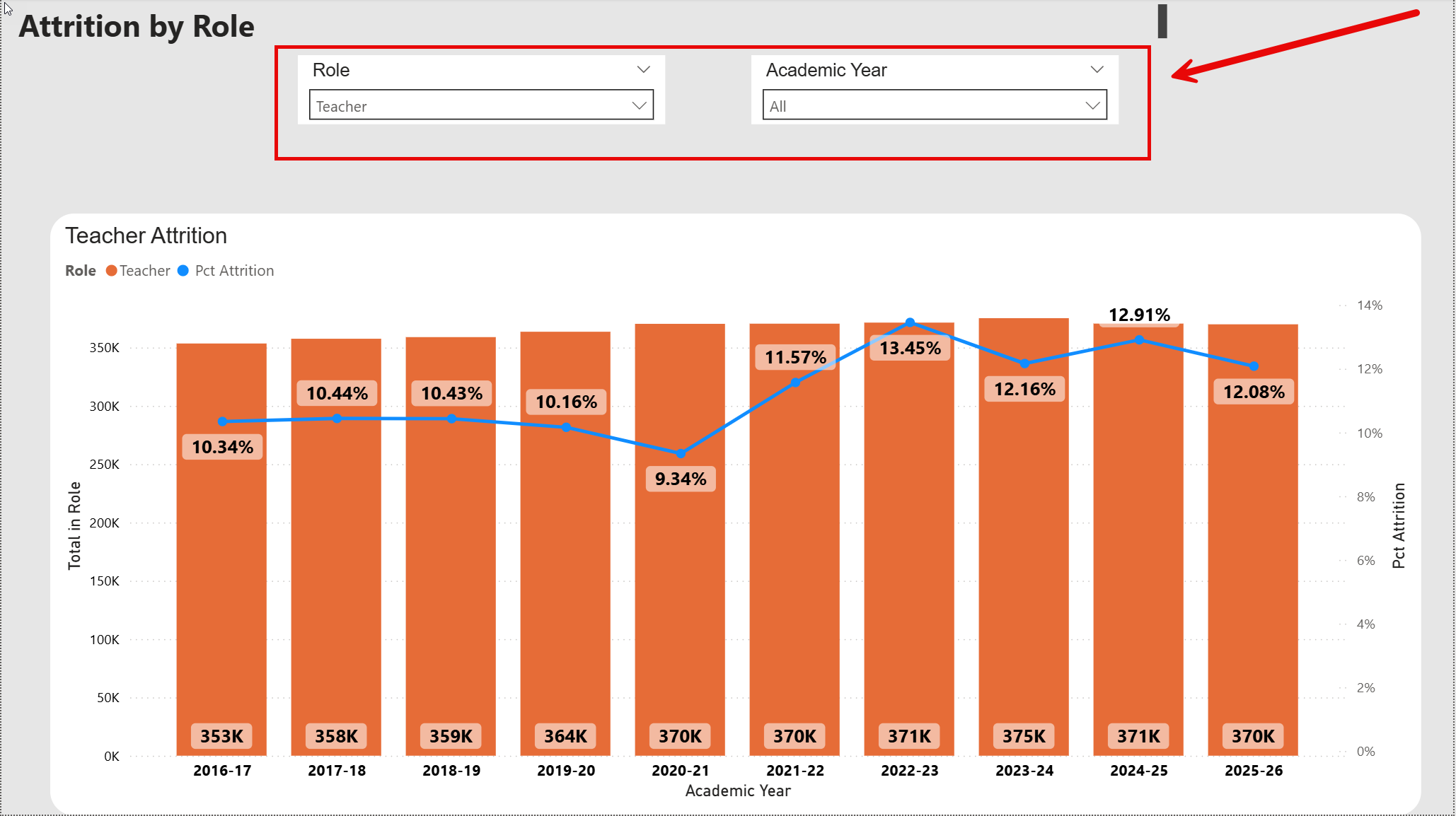
- The dashboard will now display annual attrition rates for your selected role.
- Navigate to the Teacher Attrition by School System Geographic Type Tab
- Choose a specific Academic Year and Role from the drop-down menus at the top of the page.
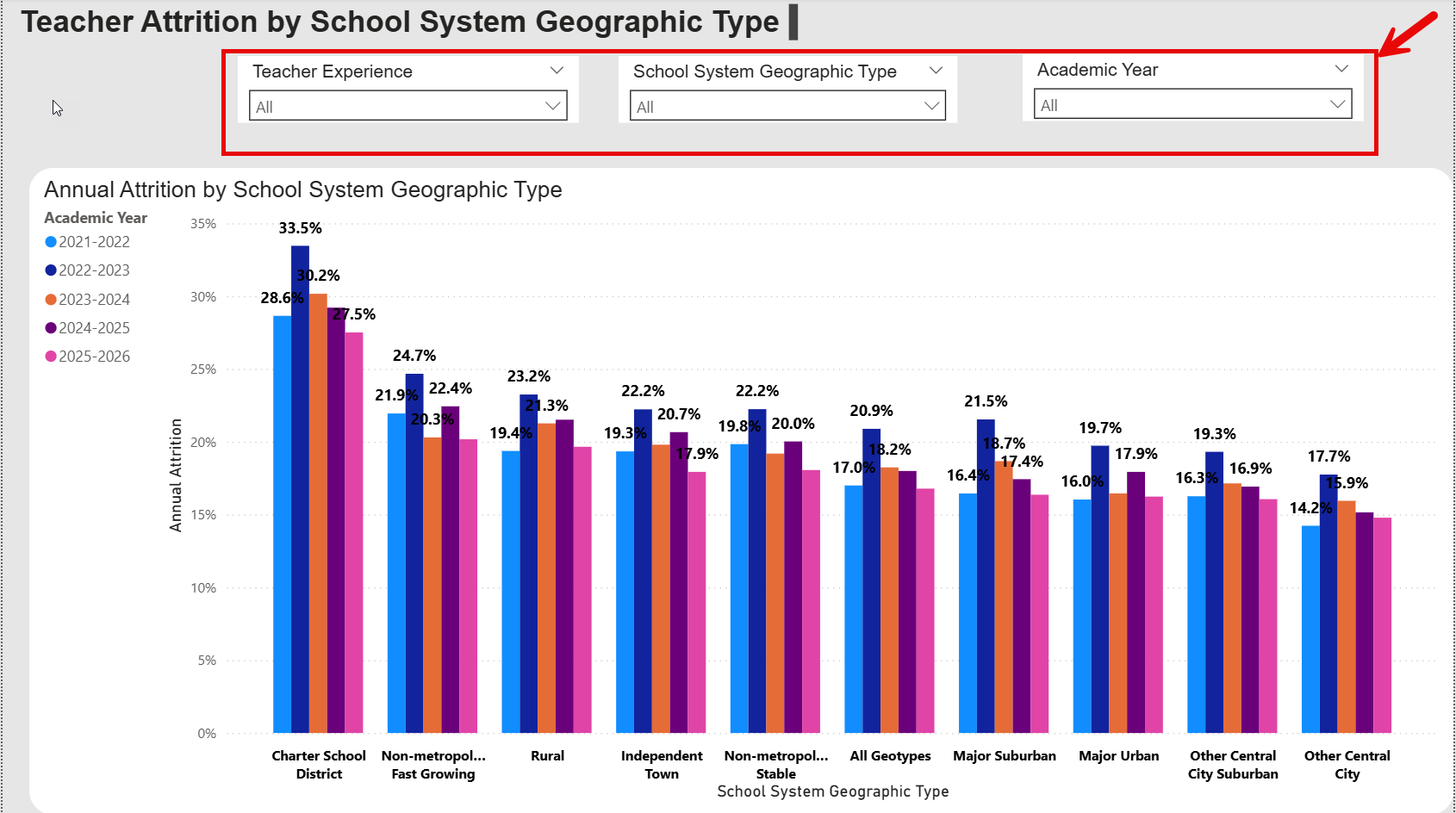
- The dashboard will now display annual attrition rates for your selected role.
- Navigate to the Teacher Attrition by School System Size tab.
- Choose a specific Academic Year and Role from the drop-down menus at the top of the page.
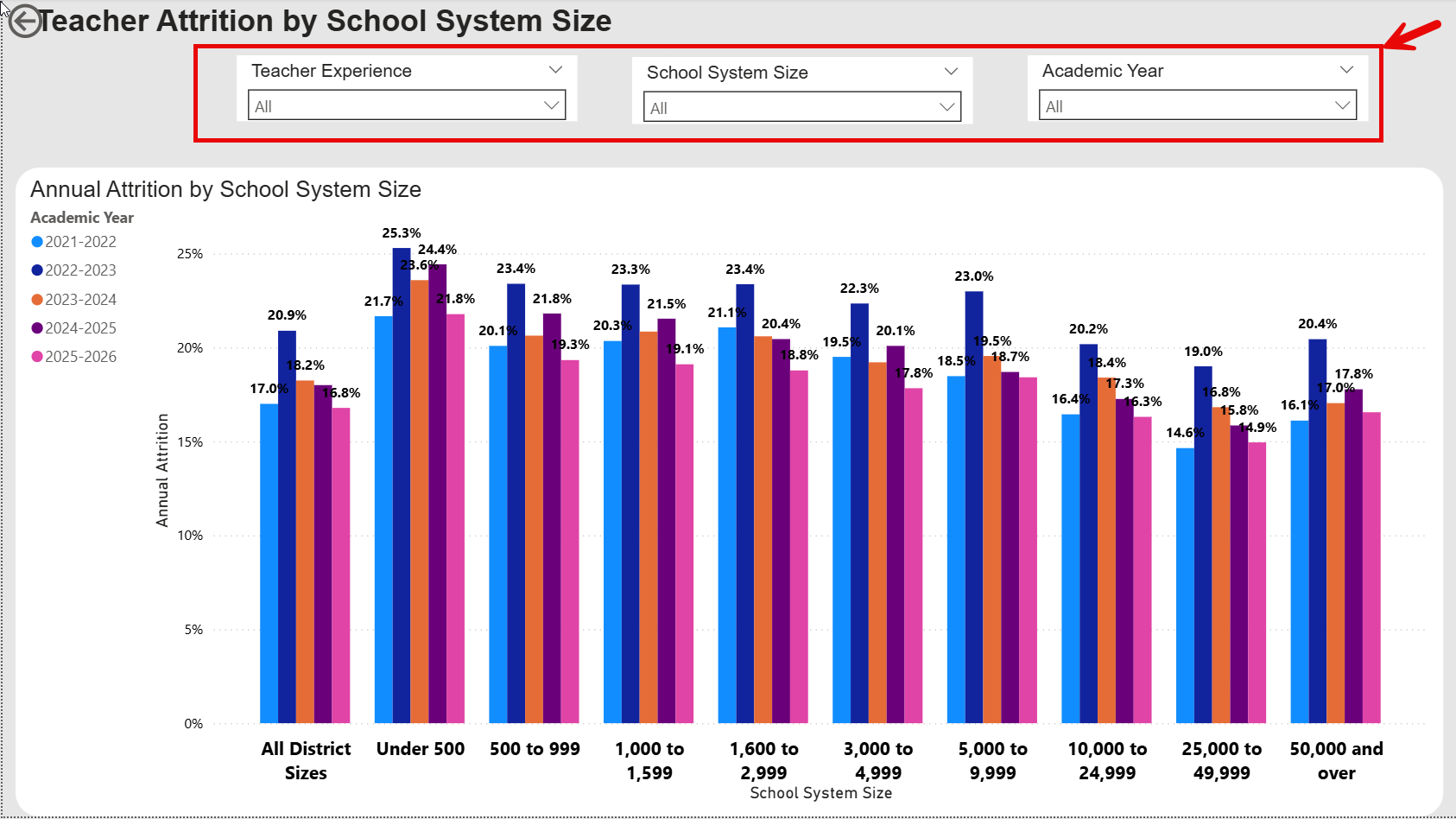
- The dashboard will now display annual attrition rates for your selected role.
Frequently Asked Questions
Click a question below to expand and view the answer.
How do I find the percentage or count of newly hired teachers by pathway to teaching?
How do I find annual attrition rates for teachers, principals and superintendents?
How do I find annual teacher attrition rates by School System Geographic Type?
How do I find annual teacher attrition rates by School System Size?
When is the data updated?
The data is updated in the spring of each academic year.